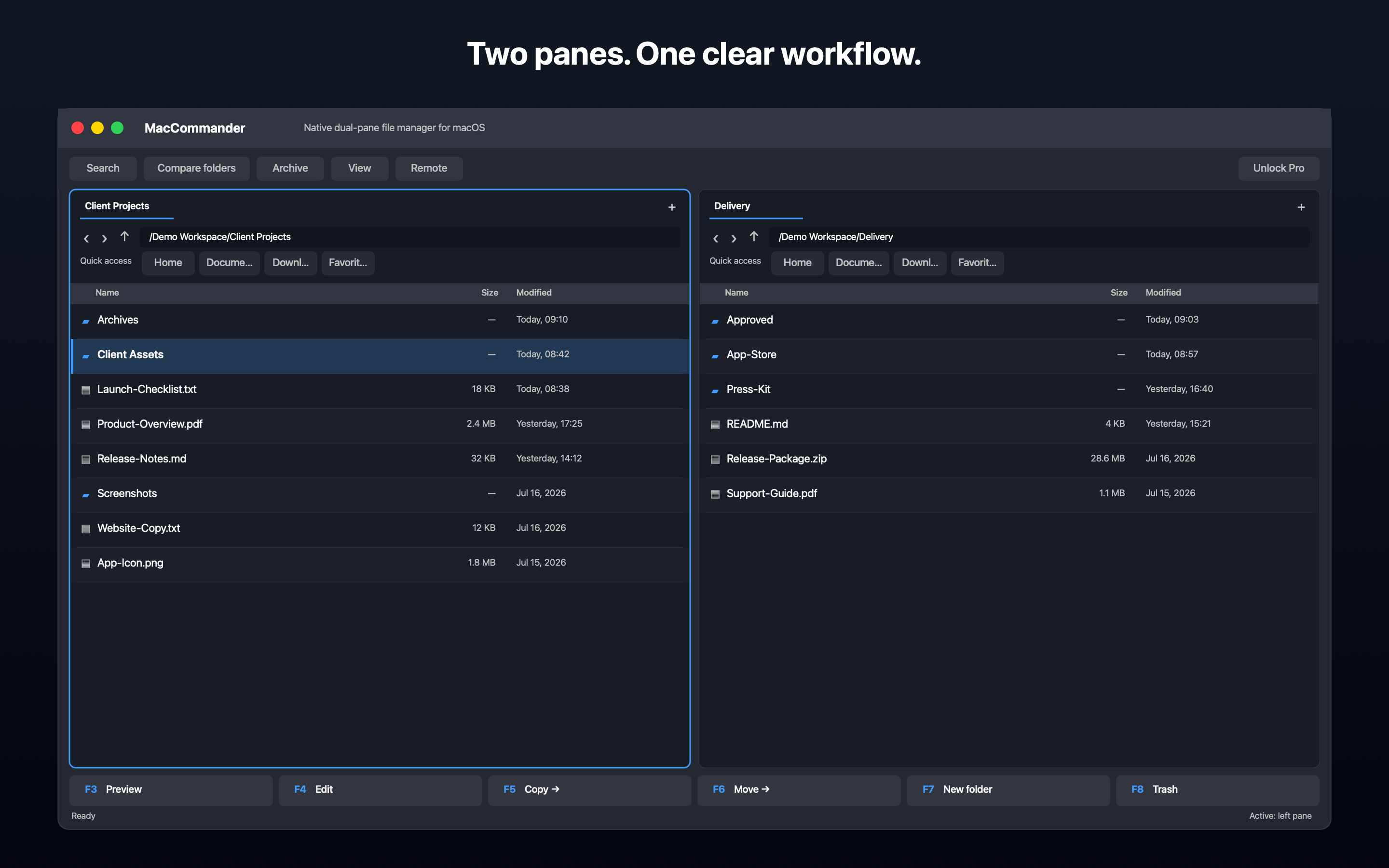
Two panes without window switching
Source and destination stay visible together.
Pre-release · macOS 14+ · Universal
Free covers everyday dual-pane work, navigation, tabs, favorites, F-key actions, ZIP, and local or macOS cloud folders that the user allows. Pro Lifetime adds SFTP, WebDAV over HTTPS, FTPS over TLS, folder compare and synchronization, SHA-256, duplicate finding, and file split or join.
Dual-pane workflow
Copy, move, compare, and sync have a clear direction. The app does not replace automatic backup and requires confirmation before overwriting.
Screenshots
Six verified 2880 × 1800 screenshots without personal data, passwords, or production servers.
Video
Free covers everyday dual-pane work, navigation, tabs, favorites, F-key actions, ZIP, and local or macOS cloud folders that the user allows. Pro Lifetime adds SFTP, WebDAV over HTTPS, FTPS over TLS, folder compare and synchronization, SHA-256, duplicate finding, and file split or join.
Features
Version 1.0 is being prepared for the Mac App Store. Email us and we will send the public link when it becomes available.
Source and destination stay visible together.
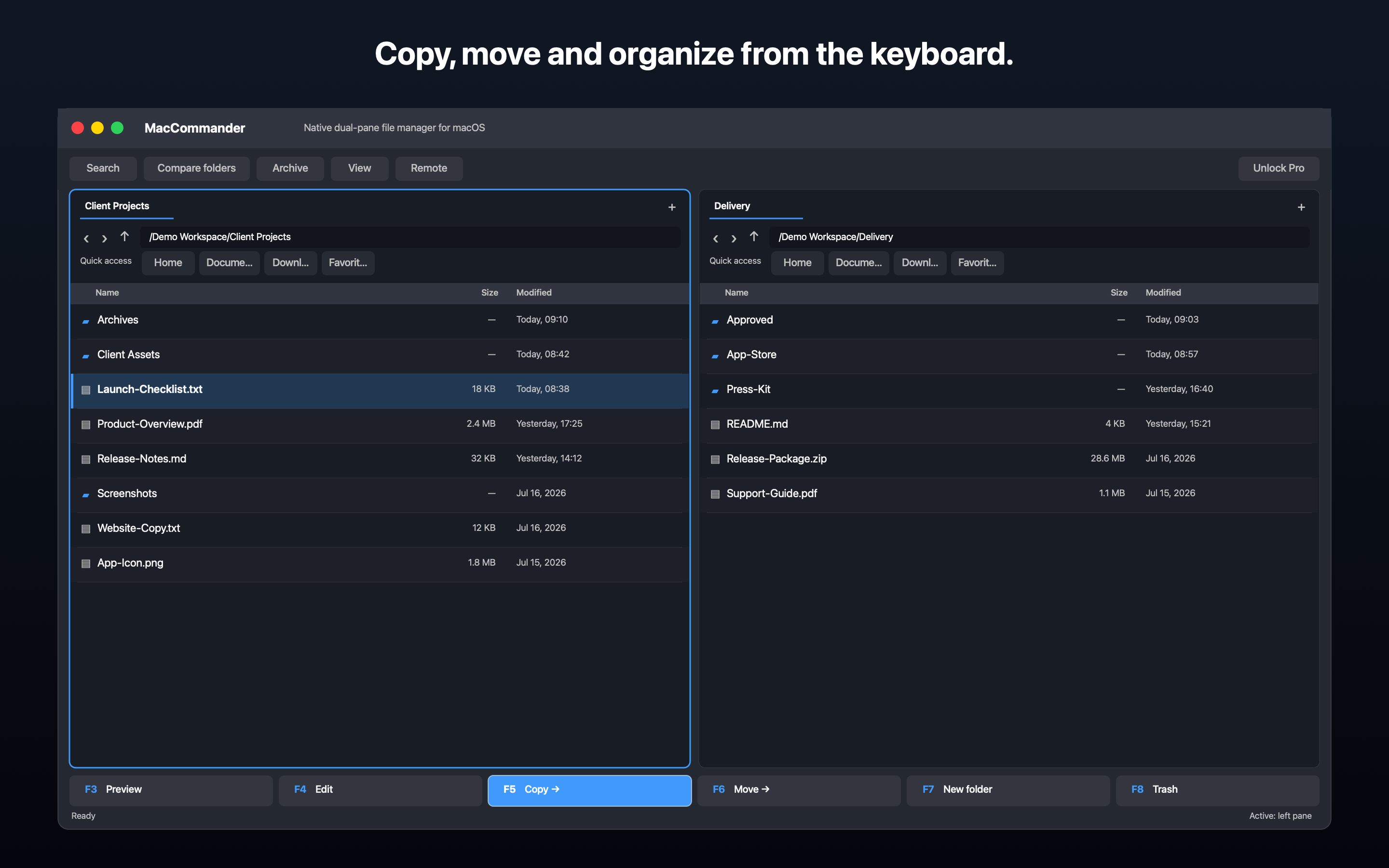
Fast actions for copy, move, new folder, and other common operations.
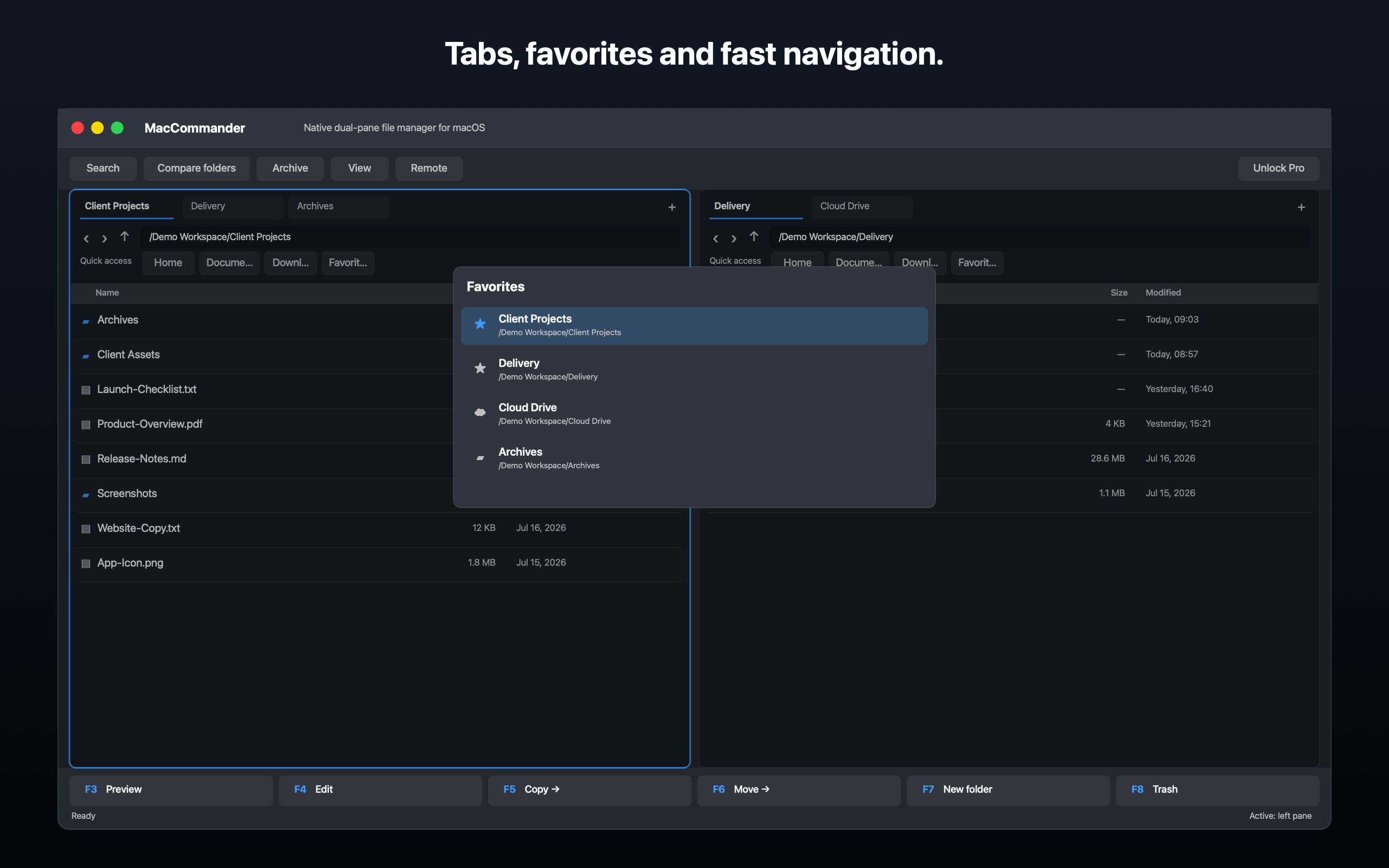
Multiple locations in each pane and quick return to frequently used folders.
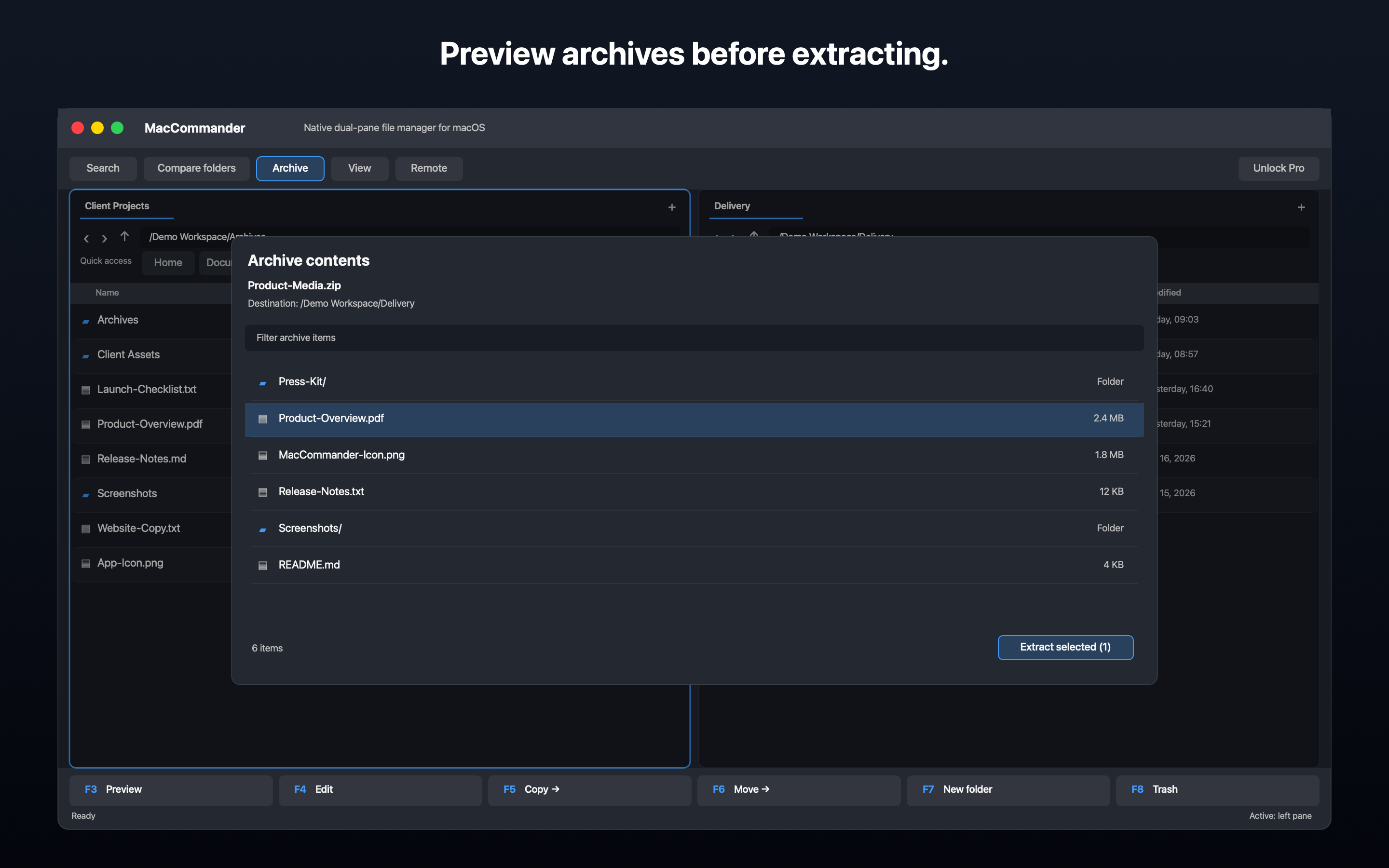
MacCommander creates ZIP files and can browse and extract ZIP, TAR, 7z, and supported RAR archives. RAR support depends on the system tool and does not cover every newer variant.
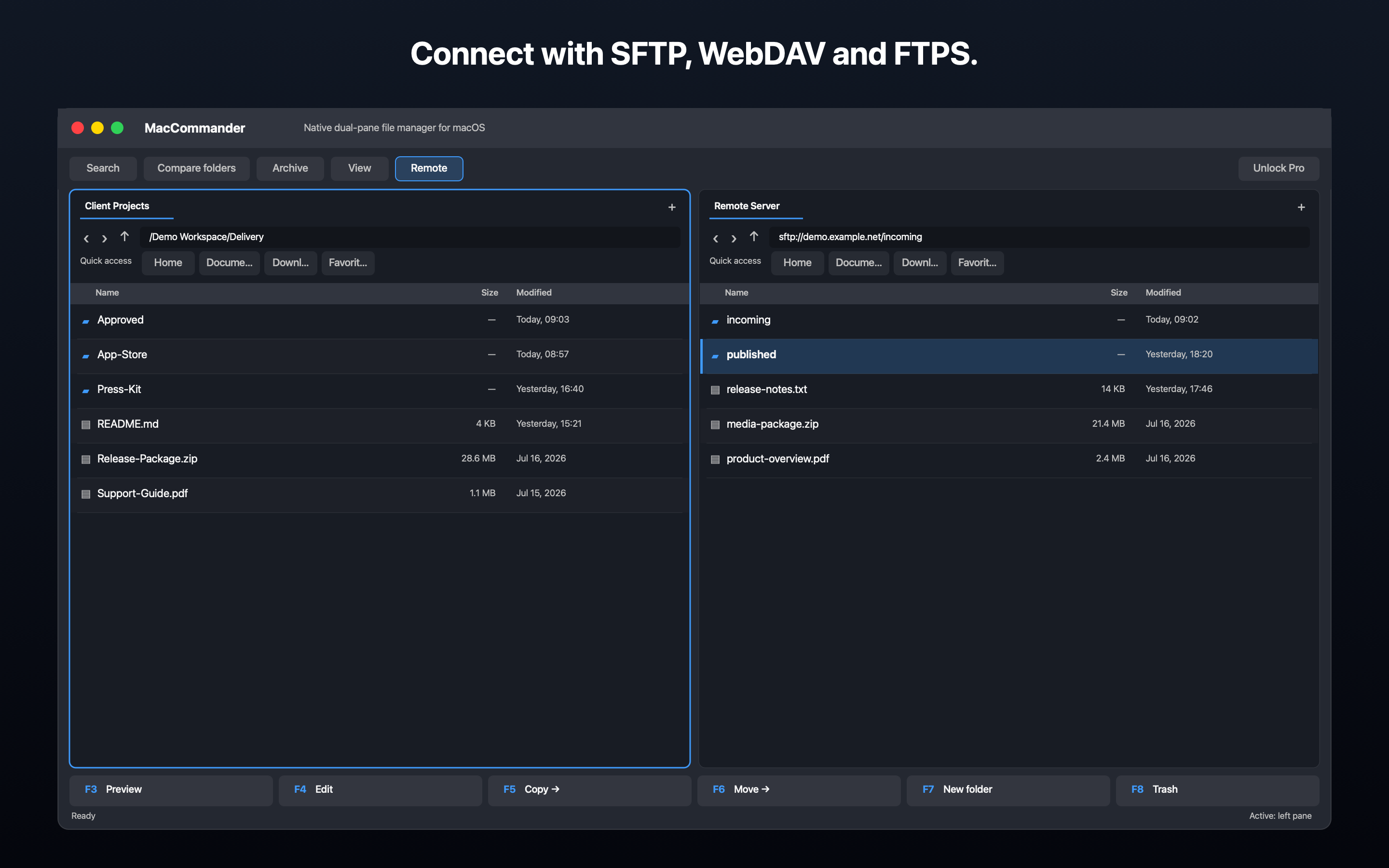
Pro supports SFTP through system OpenSSH, WebDAV over HTTPS, and FTPS over TLS. Plain FTP is not supported. Credentials remain in session memory or can optionally be stored in the local Keychain.
Pro Lifetime adds SFTP, WebDAV over HTTPS, FTPS over TLS, folder compare and synchronization, SHA-256, duplicate finding, and file split or join.
Fast without hunting through menus
F2 renames, F3 previews, F4 edits text, Shift-F4 creates a text file, F5 copies, F6 moves, F7 creates a folder, F8 moves to Trash, Tab switches panes, and Insert changes selection. Standard macOS shortcuts remain available.
Free and Pro
The plan is Free plus Pro Lifetime at a €14.99 one-time target price, with no subscription. The Mac App Store may show another currency and local price. Public purchase is not available yet.
Free covers everyday dual-pane work, navigation, tabs, favorites, F-key actions, ZIP, and local or macOS cloud folders that the user allows.
Pro Lifetime adds SFTP, WebDAV over HTTPS, FTPS over TLS, folder compare and synchronization, SHA-256, duplicate finding, and file split or join.
App Sandbox
MacCommander uses App Sandbox and works only with folders the user explicitly allows. It does not require Full Disk Access. iCloud Drive, Dropbox, OneDrive, Google Drive, and other cloud folders work through providers connected in Finder/macOS and explicit folder access. MacCommander does not use proprietary APIs for those services. The distribution setup prepares selected settings for synchronization. Passwords, private keys, and file contents are not synchronized through iCloud; the active capability will be verified on the distribution build.
Comparison
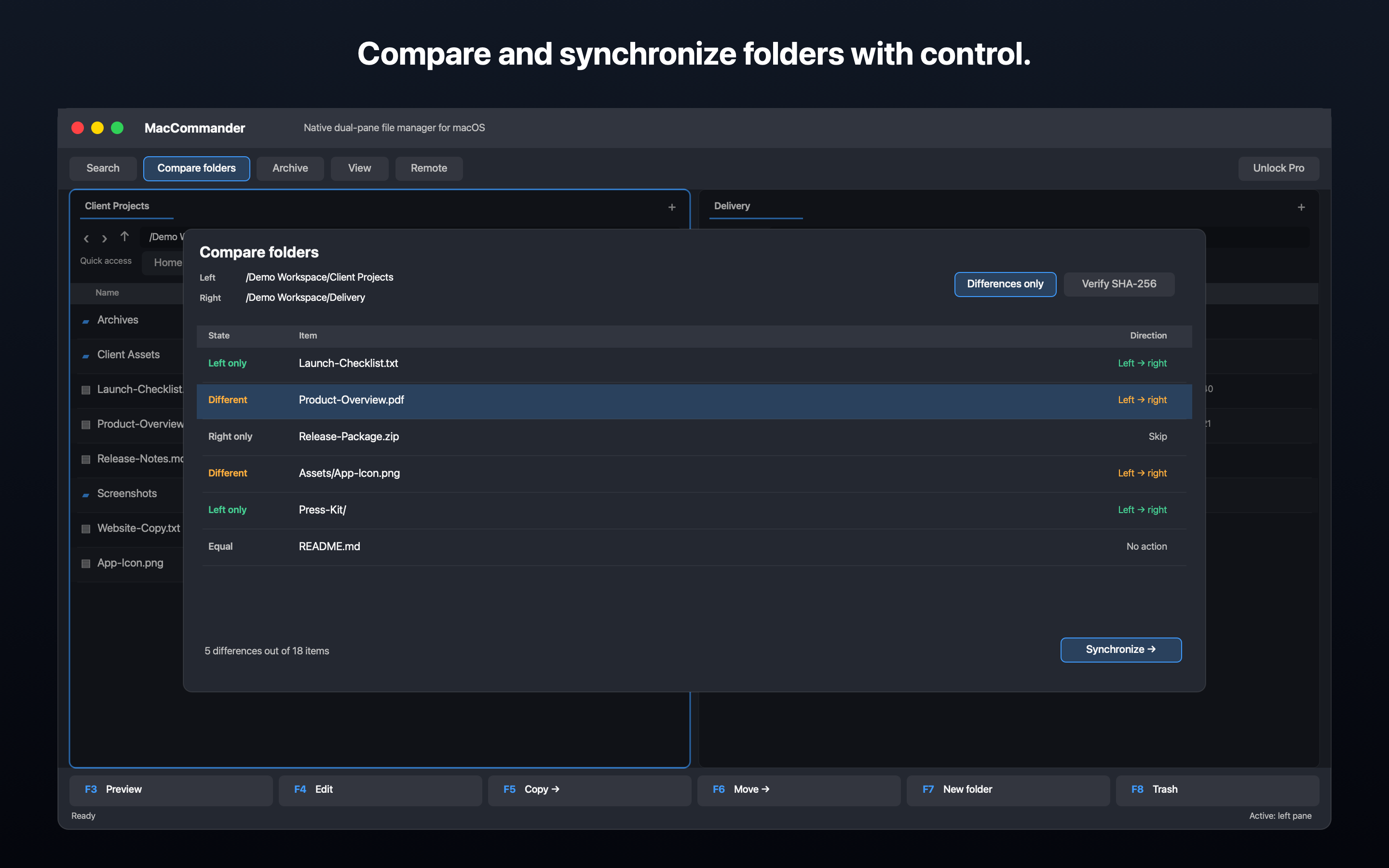
The app is not an automatic backup system. Synchronization rejects identical or nested roots, first shows differences, direction, and selected actions; overwrites require confirmation, with optional SHA-256 verification.
MacCommander complements Finder for dual-pane, batch, and keyboard-driven work. Finder can remain the system file manager.
LineSW is the product and marketing brand; IDOL Spas s.r.o. is the publisher. MacCommander is independent and is not affiliated with Ghisler Software.
Pricing
Version 1.0 is being prepared for the Mac App Store. Email us and we will send the public link when it becomes available. The plan is Free plus Pro Lifetime at a €14.99 one-time target price, with no subscription. The Mac App Store may show another currency and local price. Public purchase is not available yet.
FAQ
LineSW is the product and marketing brand; IDOL Spas s.r.o. is the publisher. MacCommander is independent and is not affiliated with Ghisler Software.
macOS 14 or later. The prepared universal app supports Apple Silicon and Intel.
MacCommander uses App Sandbox and works only with folders the user explicitly allows. It does not require Full Disk Access.
iCloud Drive, Dropbox, OneDrive, Google Drive, and other cloud folders work through providers connected in Finder/macOS and explicit folder access. MacCommander does not use proprietary APIs for those services.
Pro supports SFTP through system OpenSSH, WebDAV over HTTPS, and FTPS over TLS. Plain FTP is not supported. Credentials remain in session memory or can optionally be stored in the local Keychain.
Free covers everyday dual-pane work, navigation, tabs, favorites, F-key actions, ZIP, and local or macOS cloud folders that the user allows. Pro Lifetime adds SFTP, WebDAV over HTTPS, FTPS over TLS, folder compare and synchronization, SHA-256, duplicate finding, and file split or join.
The plan is Free plus Pro Lifetime at a €14.99 one-time target price, with no subscription. The Mac App Store may show another currency and local price. Public purchase is not available yet.
MacCommander creates ZIP files and can browse and extract ZIP, TAR, 7z, and supported RAR archives. RAR support depends on the system tool and does not cover every newer variant.
The app is not an automatic backup system. Synchronization rejects identical or nested roots, first shows differences, direction, and selected actions; overwrites require confirmation, with optional SHA-256 verification.
The distribution setup prepares selected settings for synchronization. Passwords, private keys, and file contents are not synchronized through iCloud; the active capability will be verified on the distribution build.
MacCommander complements Finder for dual-pane, batch, and keyboard-driven work. Finder can remain the system file manager.
Version 1.0 is being prepared for the Mac App Store. Email us and we will send the public link when it becomes available.
LineSW
A public Mac App Store link is not available yet. Email us and we will send the verified link after release. LineSW is the product and marketing brand; IDOL Spas s.r.o. is the publisher. MacCommander is independent and is not affiliated with Ghisler Software.